Data Table for Jira Cloud
Add configurable tables to Jira and Jira Service Management work items. Use 15 column types, formulas, validation, permissions, history, CSV import, exports, and JQL.
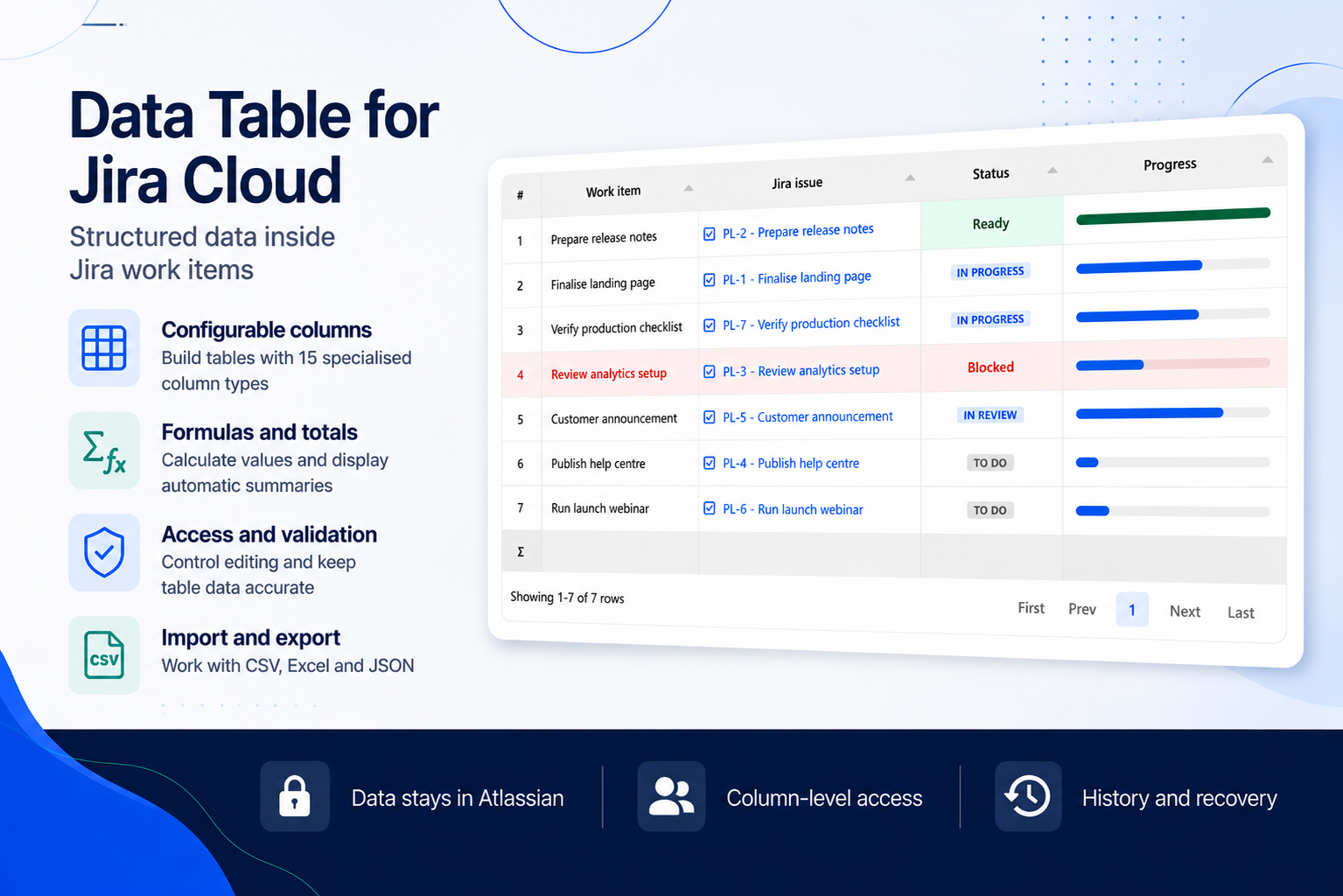
Configurable, structured tables for Jira work items.
Data Table for Jira Cloud adds configurable tables directly to Jira and Jira Service Management work items. Keep delivery plans, cost breakdowns, checklists, inspections, and detailed line items with the work they belong to.
Build the table your process needs
An administrator defines the columns once. Every work item using the field gets the same structure and its own rows.
- 15 column types — Text, Paragraph, Number, Toggle, Select, Date, Date and time, Time, User, Project, Group, Issue, Sequence, Formula, and Attachment.
- Validation — require values, enforce uniqueness, set number ranges and text limits, and control available options.
- Formulas and totals — calculate values from other cells in the row and show sums, averages, minimums, maximums, counts, or calculated totals.
- Conditional formatting — highlight overdue dates, exceptions, thresholds, and other values that need attention.
- Column-level access — make columns editable, read-only, or hidden, with rules for groups, project roles, and portal customers.
Import, export, and find your data
Preview and validate a complete CSV file before anything is written. Append new rows, merge changes by row ID, or reload the table.
- CSV export for round-trip editing and import.
- Excel export for a formatted workbook.
- JSON export for typed data and automation.
- JQL search for table text, row count, users, groups, projects, dates, and numbers.
Keep a clear record of changes
Every save creates a revision showing who changed the table, when, and which rows and cells were affected. Eligible cell changes can be undone without overwriting newer work. Values from removed columns are kept in an administrator-managed recycle bin for a configurable retention period.
Built for Jira and Jira Service Management
Use structured tables in Jira work items and supported Jira Service Management experiences. App data is stored and processed within Atlassian's cloud infrastructure.
Start with your first table
Install Data Table for Jira Cloud, create the custom field, define the columns, and add it to the Jira work where your team needs structured rows.
Try Data Table for Jira Cloud free
Availability, pricing, and subscriptions are managed through Atlassian Marketplace.
Have a project in mind?
Tell us about your Atlassian setup and what you'd like to improve. Most conversations turn into a concrete proposal within a week.